Set up your coach profile
Updated Apr. 30, 2026 by SupportYour coach profile is your professional identity on the platform. It introduces you to coachees and helps them understand your background, expertise, and coaching style. A well-crafted profile builds trust, increases engagement, and showcases why clients should work with you.
 Complete your profile details
When setting up your coach account, begin by filling in your profile information:
- Personal information
- Spoken languages
- Credentials
- Type of coaching
- A short introduction about yourself (Who you are, why work with you?)
- Add a YouTube video to enhance your profile and make it more engaging.
 Pro Tip:
The more information you add to your profile, the more engaging it becomes. A complete profile helps coachees get to know you better and increases your visibility during the matching process. If you are part of a matching program, a detailed profile significantly improves your chances of being selected.
After submitting your information, you will be redirected to your profile landing page. From here, you can upload or update your profile photo and cover photo.
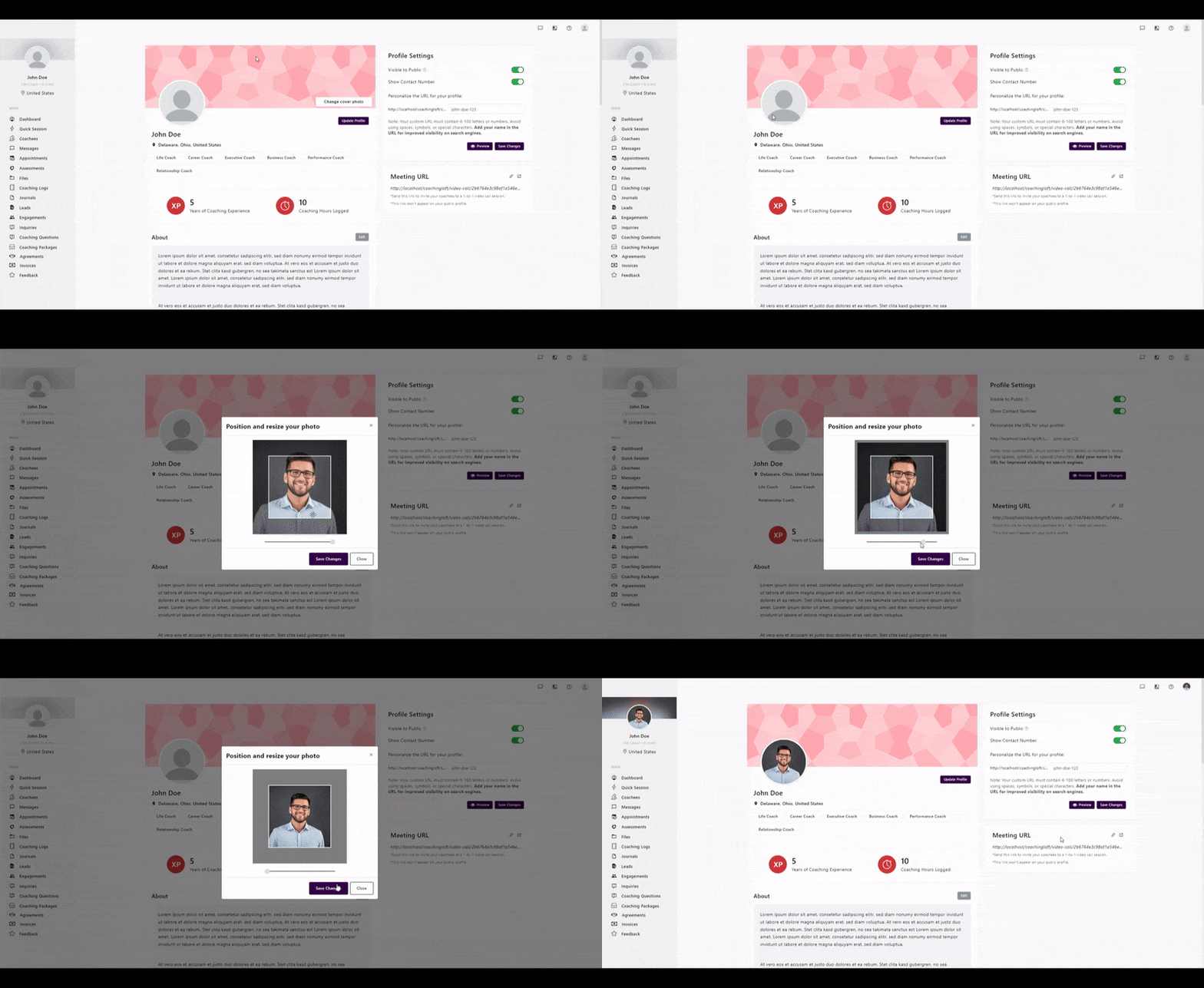
Set or Update Your Profile Photo
- Click on the blank profile image to open the file selection window.
- Choose an image file from your device.
- Use the photo resizer modal to adjust size and positioning.
- Click Save Changes to upload and finalize your photo.
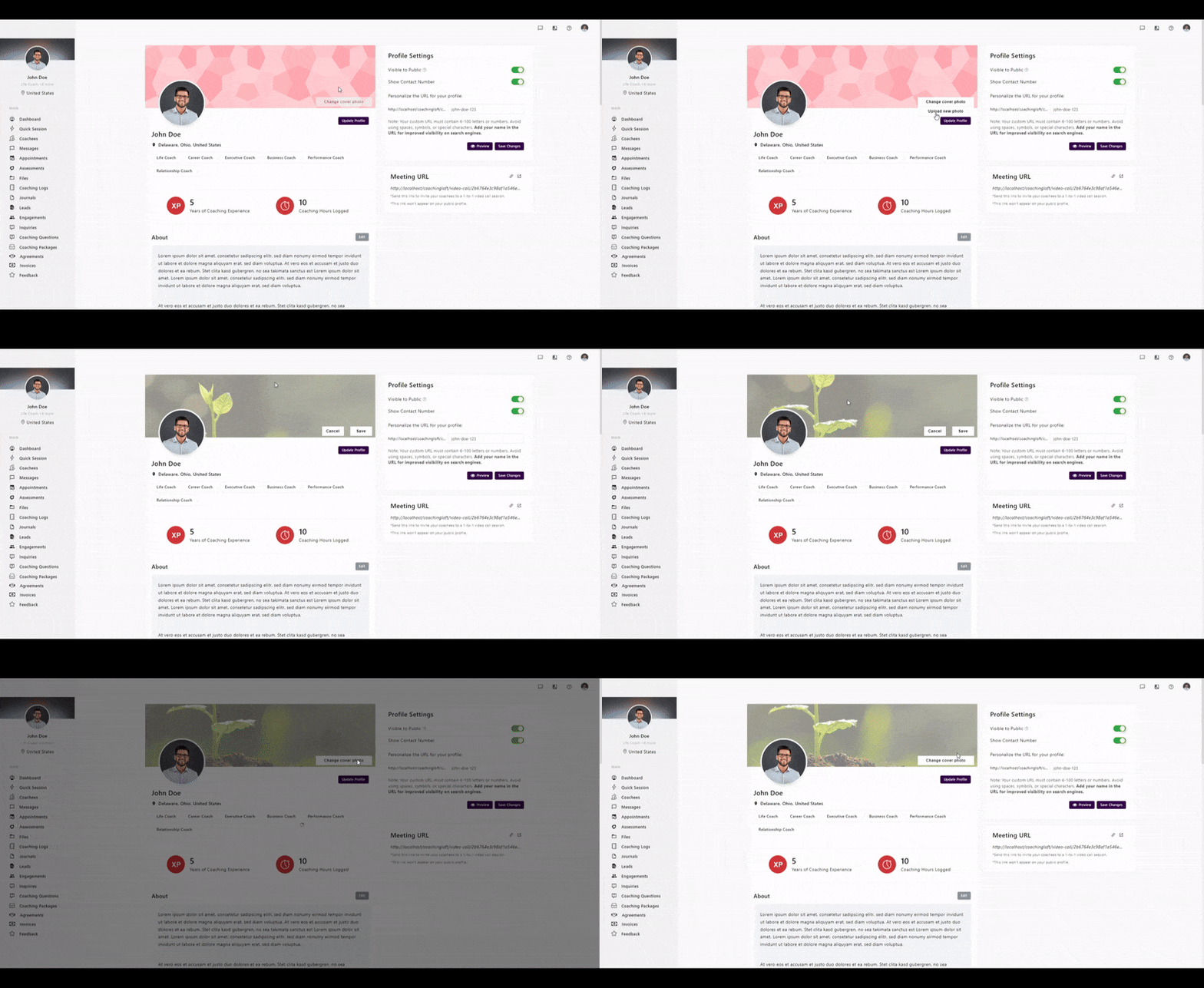
Set or Update Your Cover Photo
- Hover over the cover photo area and click Change Cover Photo > Upload a New Photo.
- Select an image from your device.
- Reposition the photo vertically to your preference.
- Click Save to confirm your cover photo update.