Assign coaches to coachees
Updated Oct. 13, 2026 by SupportThere are multiple ways to assign a coach to a coachee. This section explains each available method and how to use them effectively.
 Enable the Coach Directory
Admin can enable a feature that allows coachees to browse coaches, filter based on criteria, and select the best fit directly from their account.
- Go to Settings > Permissions > Feature Access.
- Tick Enable Coach Directory to activate the Coach Directory for coachees.
 Additional Settings
- Allow Coachees to Select Multiple Coaches
- Enable this if you want coachees to choose more than one coach to work with.
- Maximum Coachees per Coach
- Set the maximum number of coaches a coachee can have.
- Enter 0 if you do not want to set a limit.
What Coachees Can Do Once Enabled
- Filter coaches based on criteria such as expertise, language, location, and availability.
- Select the coach they want to work with directly.
- Book Discovery Sessions with one or multiple coaches before choosing the right match.
Assign Coach(es) to a Coachee(s)
Admins can manually assign coaches to coachees using two different methods.
Assign From the Coach Profile
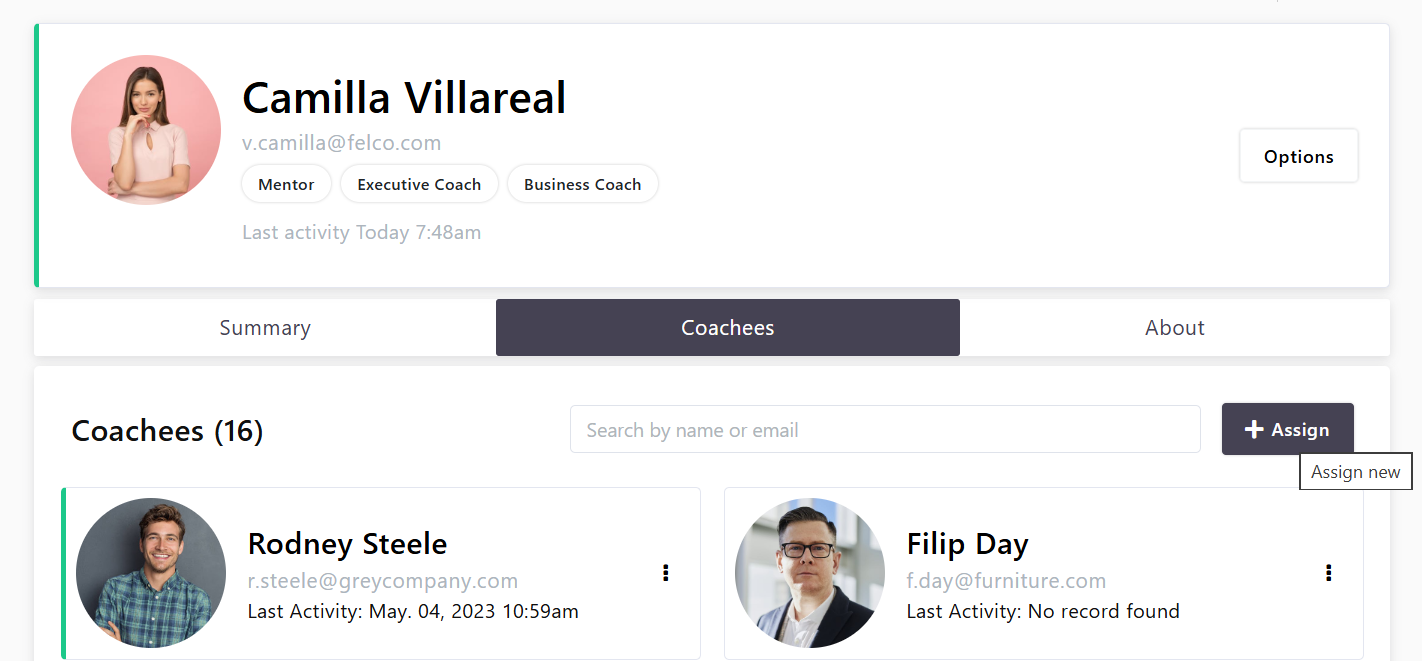
- Go to Coaches in the left-hand menu.
- Click Options next to the coach you want to assign.
- Select Coachees.
- Click Assign in the top-right corner, then choose Assign a coachee.
- Select one or multiple coachees.
- Click Assign to confirm.
To assign many coachees at once from a list of email addresses, choose Bulk assign coachees instead
Bulk Assign Coachees to a Coach
When you need to assign many coachees to the same coach, upload their email addresses instead of selecting them one by one.
- Go to Coaches in the left-hand menu.
- Click Options next to the coach, then select Coachees.
- Click Assign in the top-right corner and choose Bulk assign coachees.
- Prepare your file. Click Download template for the correct format.
- One column, with email as the header in the first row.
- One coachee email address per row.
- Maximum 1,000 rows per file. CSV only.
- Click Choose a file and select your CSV.
- Click Upload and review. Check the summary before confirming — it shows which addresses were matched.
- Confirm to complete the assignment.
 Good to know
- Only coachees already in your coachee list can be assigned. Addresses that do not match an existing coachee are not added — create those coachees first.
- Bulk assign works from the coach side only. To give one coachee several coaches, use Assign From the Coachee Profile.
- Coachees already assigned to this coach are unaffected if they appear in the file again.
Assign From the Coachee Profile
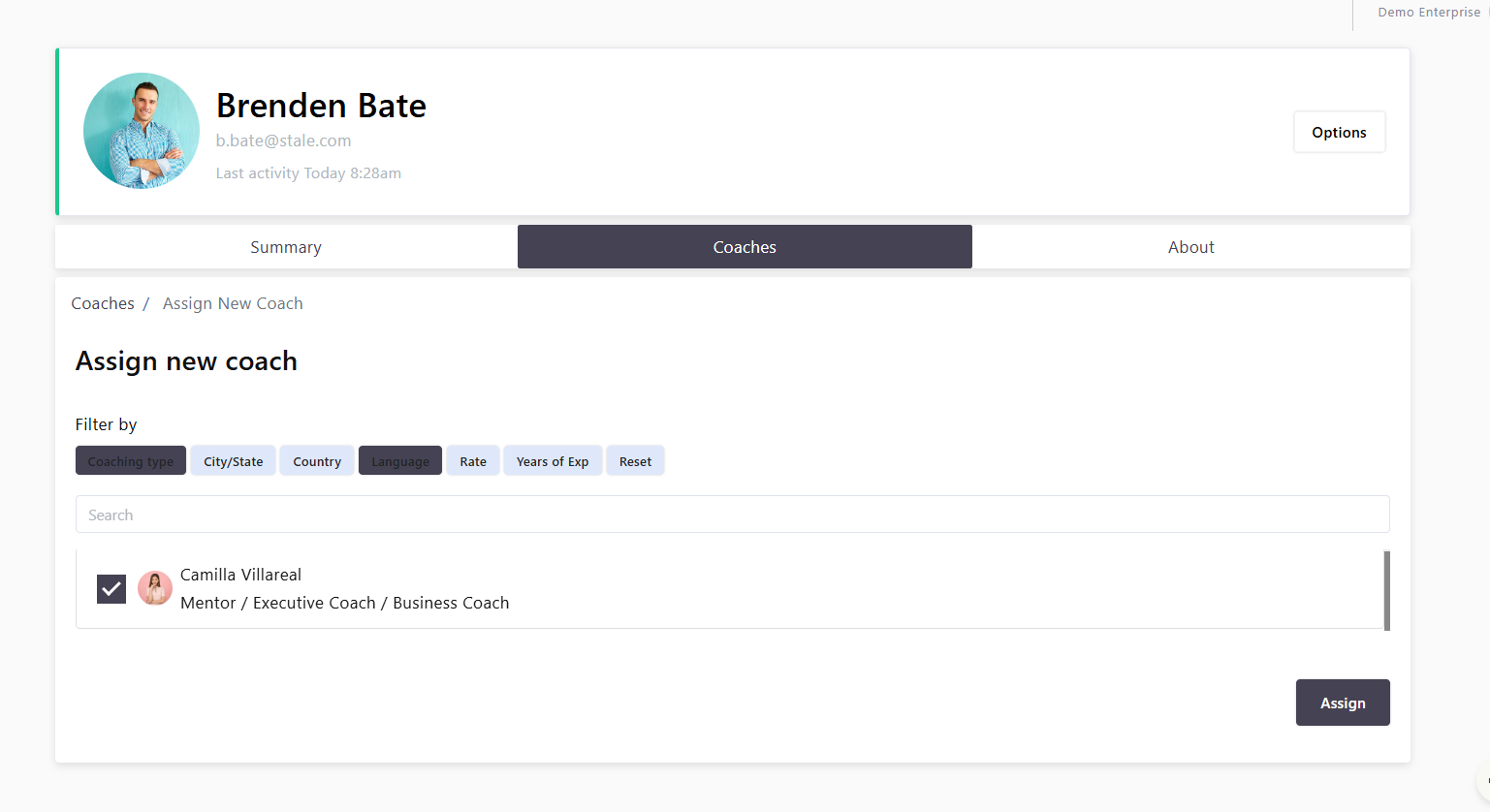
- Go to Coachees in the left-hand menu.
- Click Options next to the coachee you want to assign a coach to.
- Select Coaches.
- Use the available filters to find the best coach match.
- Select one or multiple coaches to assign.
- Click Assign to confirm.
 Note:
Note:
Both the coach and the coachee will receive a notification once the assignment is completed, and they can begin working together.
Assign Coaches Using AI Match
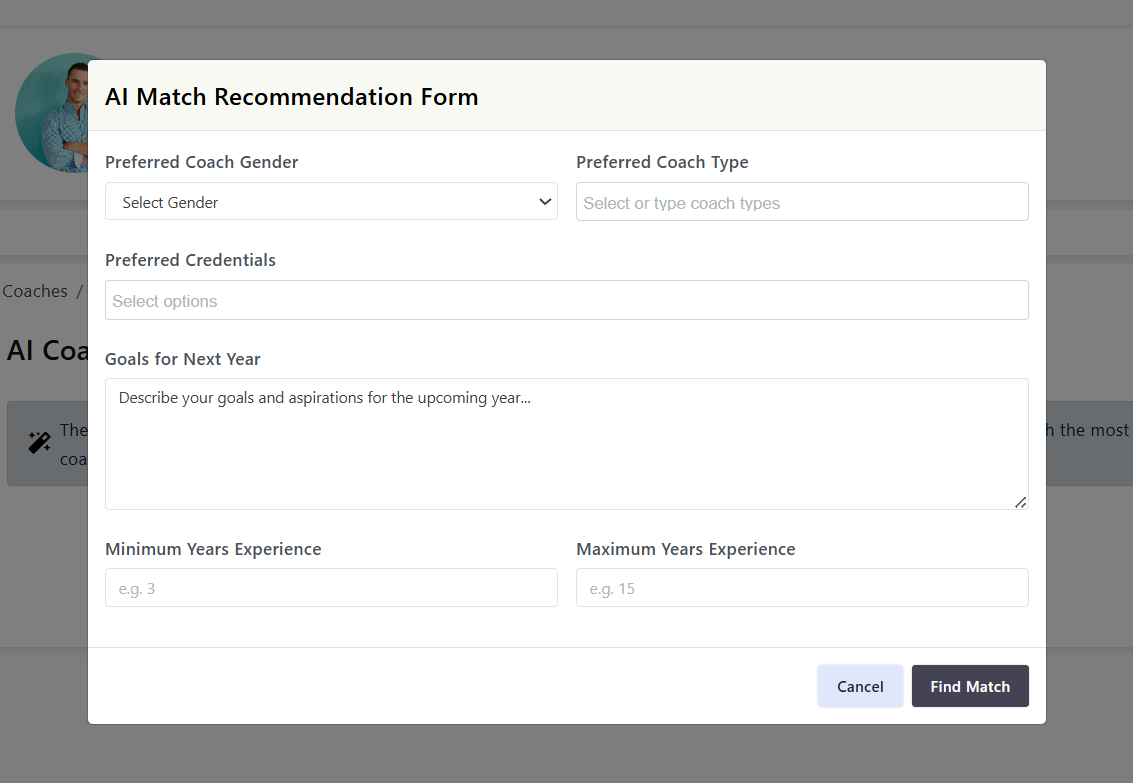
Admins can use the AI Match feature to find the best coach for a coachee based on specific criteria.
- Go to Coachees in the left-hand menu.
- Click Options next to the coachee’s name.
- Select Coaches.
- Click Assign.
- Choose AI Match Suggestion.
- Complete the form with the required details.
- The AI will recommend the best-fit coach based on your selections.
Note:
AI Match considers:
- The answers provided in the AI Match form
- The coachee’s time zone
- The coachee's preferrend language(s)
- The coachee’s preferred meeting modality, as entered in their profile during account
Use the Matching Process
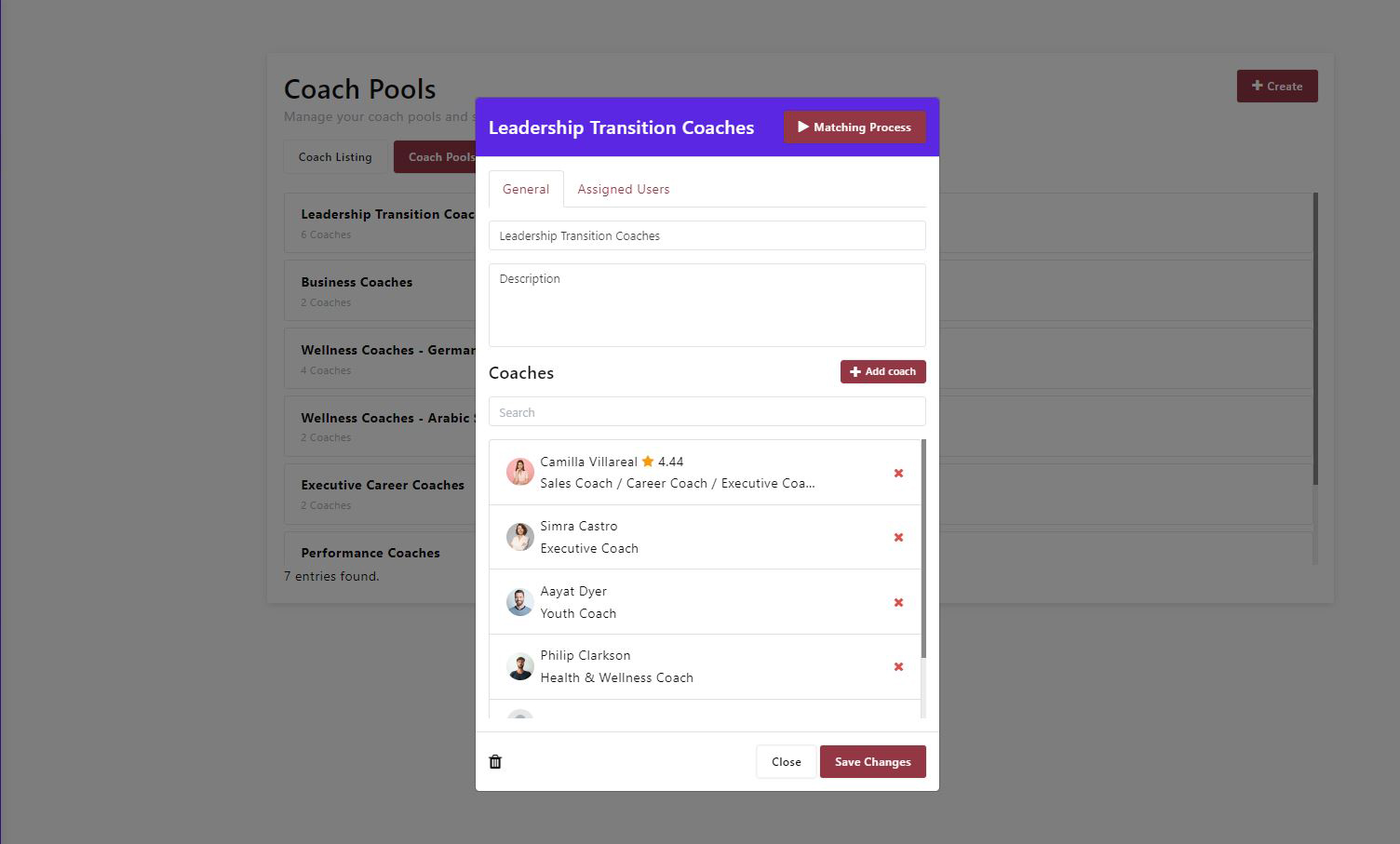
The Matching Process allows admins to create a pool of coaches and give coachees the ability to select their own coach from the pool or book discovery sessions with one or more coaches before deciding.
Create a Coach Pool
- Go to Coaches in the left-hand menu.
- Click Coach Pool.
- Select Create.
- Use the filters to narrow down coaches based on the criteria you want.
- Select the coaches you want to include, then click Next.
- Enter a name and description for the coach pool, then click Next.
Optional:
assign Program Sponsors to the coach pool. They will see the pool in their portal and can start a new matching process. They need the Coach Pools permission switched on as well as being assigned here.
Start a Matching Process
- Open the coach pool you want to use.
- Click Matching Process.
- Select whether you want to start the matching process for an individual coachee or for a group of coachees.
- Select the coachee(s) and click Start Matching Process.
What Happens Next:
- Coaches and coachees will be notified through the platform and by email.
- Coachees can review the coach pool, choose their preferred coach, or book discovery sessions with one or more coaches.
- Admins will be notified once the coachee makes a selection.
View Matching Process Progress
- Go to Coaches in the left-hand menu.
- Click Matching Process.
- You will see all matching processes you initiated, along with their current status.