
Navigate your dashboard
Updated Oct. 27, 2025 by SupportYour Dashboard serves as your main control center to manage your entire coaching experience. It helps you stay on top of appointments, assessments, updates, and communication with your coach — all from one easy-to-navigate space.
 Access Your Dashboard
- Log in to your coachee portal.
- From the left-hand menu, click Dashboard.
- You’ll see a summary of your ongoing coaching activity, including appointments, assessments, and coach-related actions.
Your Dashboard is designed to give you an instant overview of your progress and next steps in your coaching journey.
Explore the Coach Directory
If your admin enabled this feature, you can browse the Coach Directory to find the best fit.
To explore available coaches:
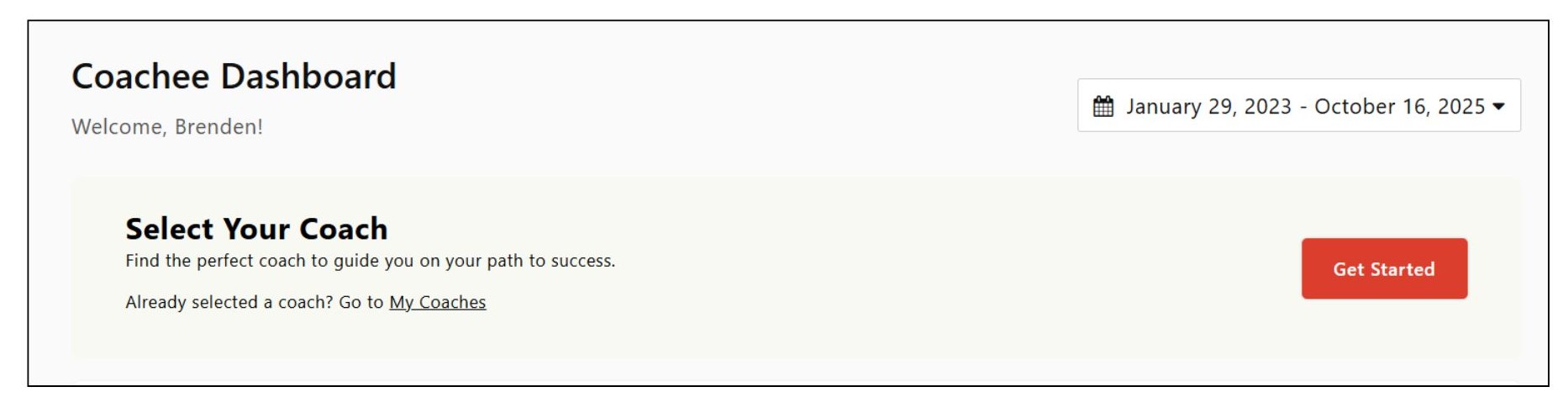
- Go to Select your Coach section on your dashboard.
- Use the Filter options to refine your search by specialty, language, or other preferences.
- Review each coach’s profile to learn about their experience, background, and approach.
- Choose one of the following options:
- Book a Discovery Session: Schedule an introductory meeting to explore compatibility before committing.
- Select Coach: Choose a coach directly if you’re ready to begin your coaching engagement.
Review Your Coach Matching Process
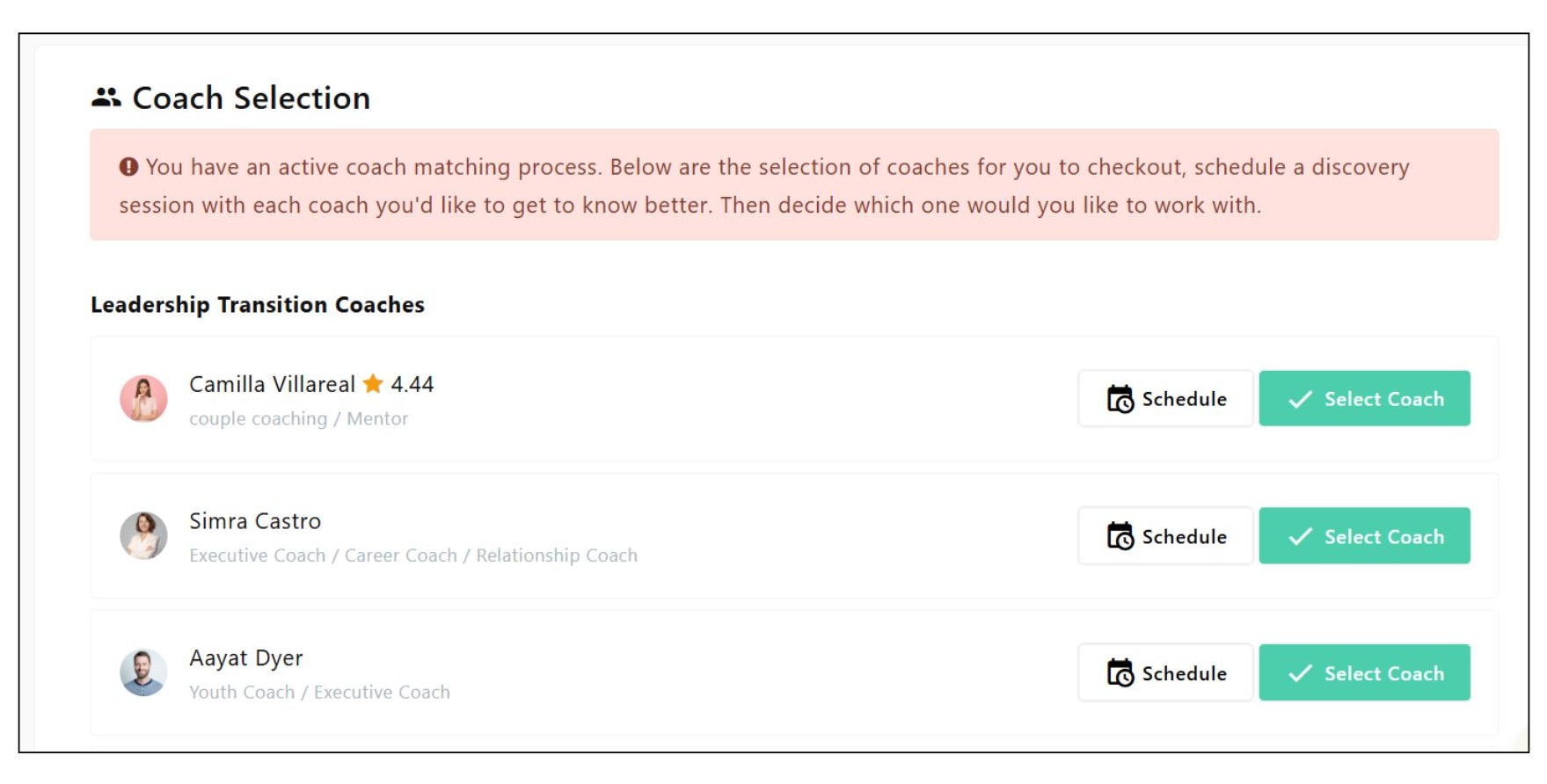
If your admin has initiated a coach matching process, you’ll find it displayed at the top of your dashboard.
Here’s how to proceed:
- Scrol to Coach Selection section to view the shortlisted coaches assigned to you.
- Click each coach’s profile to learn more about their background and expertise.
- You can either:
- Select a Coach directly to start working with them, or
- Book a Discovery Session with one or more shortlisted coaches to make an informed choice.
- Once you make your selection, your chosen coach will be notified, and your coaching program setup will begin automatically.
Check Your Activity Logs
Your Activity Logs section keeps you informed about all recent interactions and updates from your coach.
You can:
- Review session notes shared after each meeting.
- Access uploaded resources, exercises, or files.
- Track key milestones or completed goals.
This helps you stay aligned with your progress and keep all coaching information in one secure place.
View Upcoming Appointments
Stay organized with a clear view of your coaching schedule.
To access your upcoming sessions:
- Locate the Upcoming Appointments section on your dashboard.
- Review session details such as date, time, and meeting type.
- Check the appointment status (e.g., Confirmed, Rescheduled, or Cancelled).
You can click on an appointment to view full session details or join a scheduled session directly when it’s time.
Complete Assigned Assessments
Your coach may assign assessments to help track your progress and insights.
To manage your assessments:
- Go to the Assigned Assessments section on your dashboard.
- Click on any pending assessment to start or continue your responses.
Completing your assessments on time ensures more productive coaching sessions and measurable results.

