
Configure your appointment scheduling pages
Updated Dec. 10, 2025 by SupportThe Appointment Scheduling feature allows coaches to create personalized booking pages, making it easy for clients or prospects to schedule sessions directly on your calendar.
Each scheduling page can be customized to reflect your services, availability, and pricing preferences.
 Access Your Appointment Scheduling Pages
- Go to the Appointments section in your coach portal.
- Click Appointment Scheduling at the top-right corner of the calendar.
- A default scheduling page titled Discovery Session is available for every coach.
- You can edit the existing page or create a new one by clicking + New.
Create or Edit a Scheduling Page
When setting up or modifying your scheduling page:
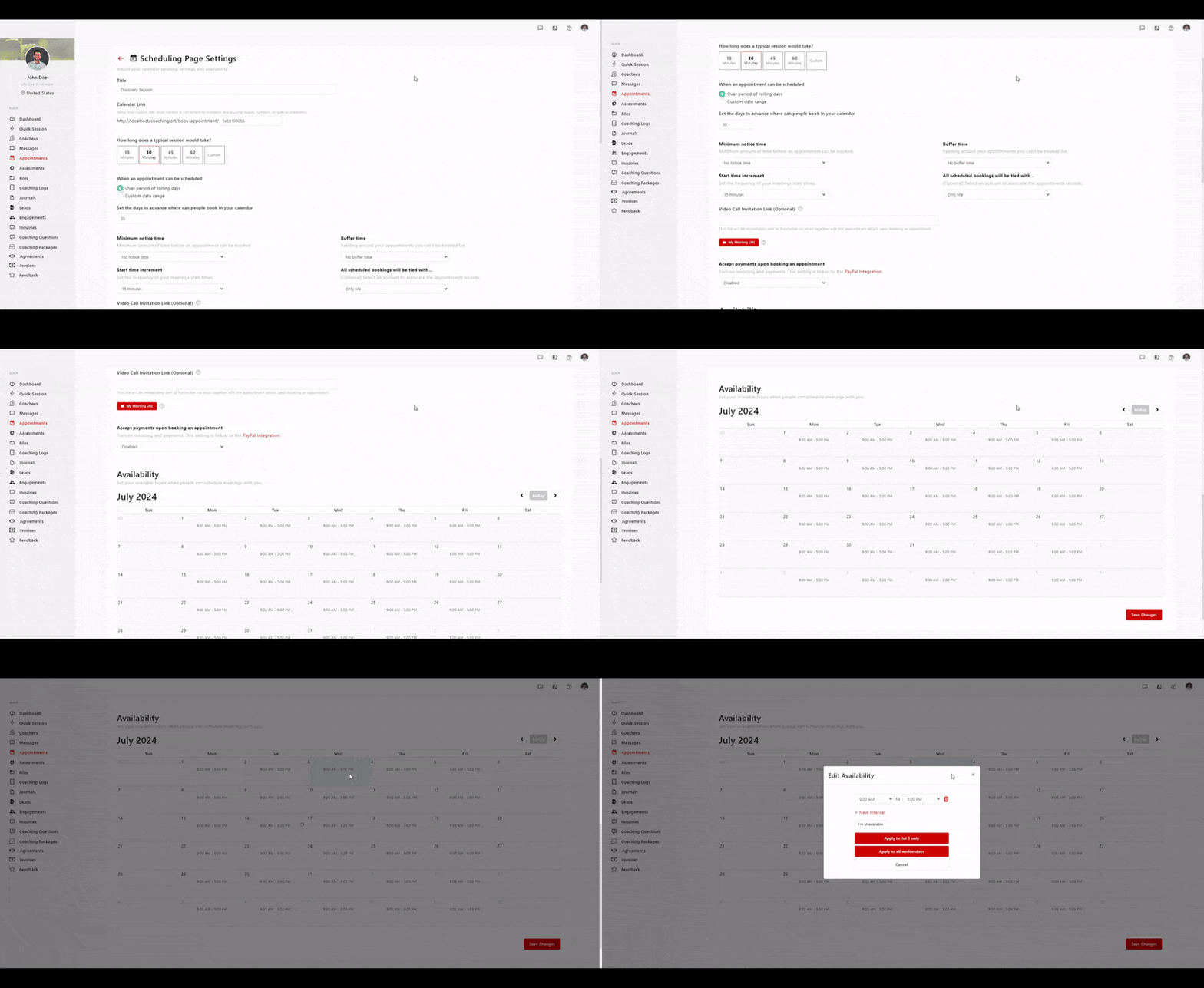
- Add Basic Details
- Enter the page name, appointment duration, and a short description.
- Set Up Payments (Optional)
- Toggle Accept payments upon booking to enable.
- Choose the preferred currency and specify the booking amount.
- Tip: You can integrate PayPal or other supported payment options for seamless transactions.
- Customize Your Booking Link
- Ensure the link is unique and user-friendly.
- Avoid spaces or special symbols; use dashes (-) or underscores (_) instead.
- Adjust Availability
- Click a date on your calendar to set available time slots for booking.
- Save changes once all preferences are configured.
Share Your Scheduling Page
Once your page is ready:
- Share the booking link directly with your coachees or prospects.
- Add it to your website, email signature, or social media to attract new bookings.
- When a client books through your scheduling page:
- The appointment will be automatically added to your calendar.
- Both you and the client will receive an email confirmation with appointment details (title, date, time, and time zone).
- You’ll also receive an in-app notification.
- You should follow up via email to confirm the session.

