Use the coaching questions library
Updated Dec. 10, 2025 by SupportThe Coaching Questions Library is a curated collection of powerful, open-ended questions designed to help coaches spark reflection, unlock insights, and drive meaningful conversations during coaching sessions.
 Access the Coaching Questions Library
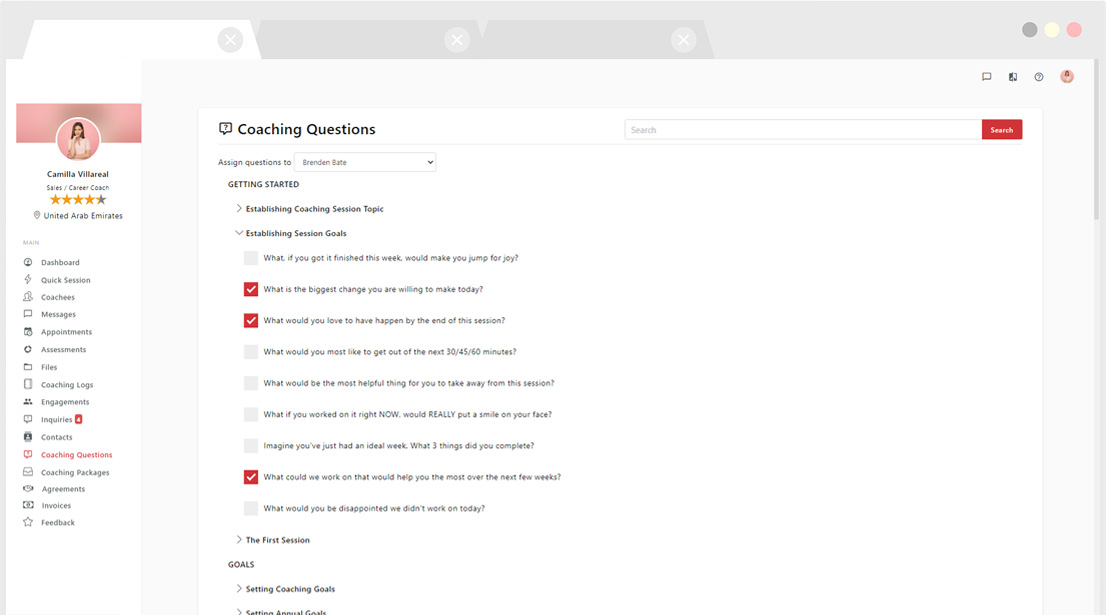
- Go to the “Coaching Questions” tab from the left-hand menu in your Coach Portal.
- Inside the library, you can:
- Explore a preloaded collection of over 500 professional coaching questions.
- Create and organize your own custom question lists for different coaching themes or models.
Creating Custom Coaching Questions
You can easily build your own question sets tailored to your coaching style or framework.
- Click “Create Custom Questions” in the top-right corner.
- Click “+ New List”, name your list, and click Save.
- Select your new list and click “Add New Question” to start adding your questions.
You can group your questions by coaching topic, focus area, or methodology to keep your library structured and easy to navigate.
Assigning Questions to Sessions
To link specific questions to a coaching session:
- Tick the boxes next to the questions you’d like to assign.
- Click “Assign” to allocate them to your chosen coachee.
This ensures each session is guided by targeted, purposeful questions that support the session goals.
Use Questions During Live Sessions
When conducting a live coaching session:
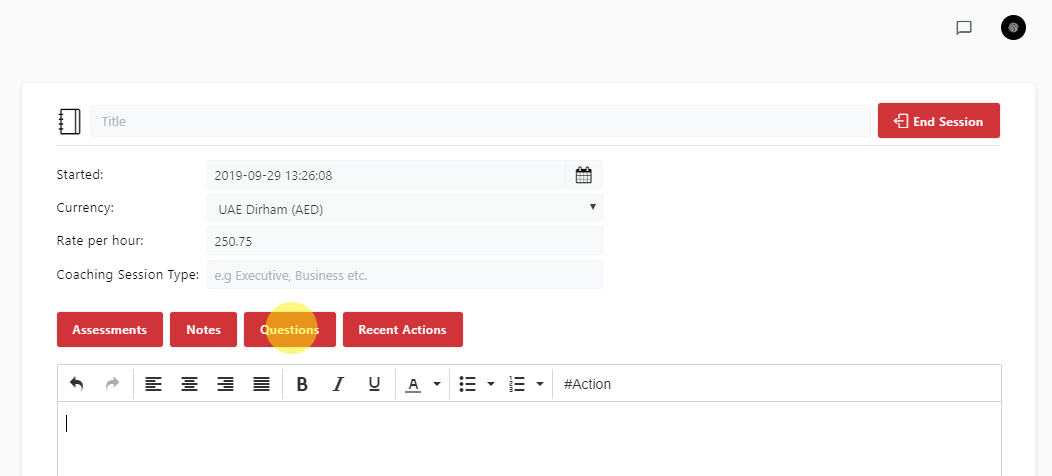
- Click the “Questions” button located above the session notepad.
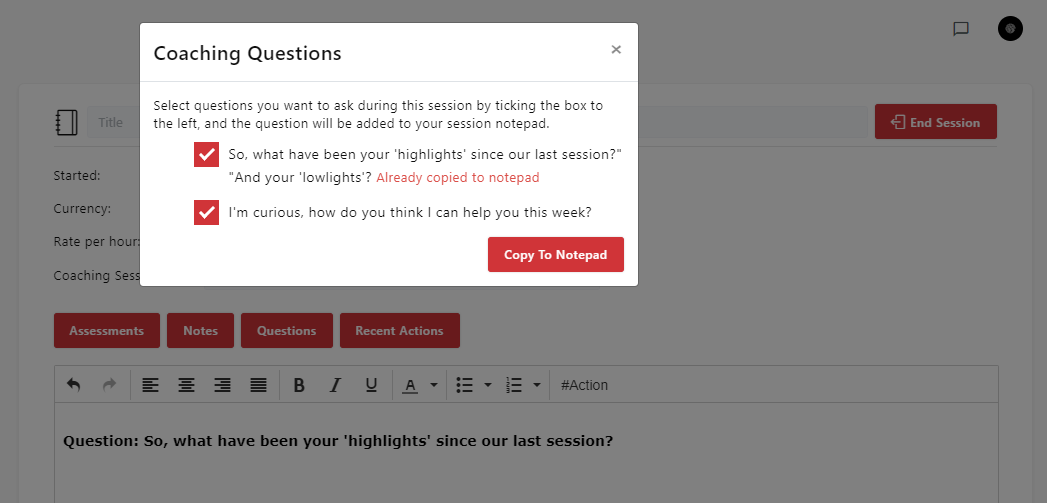
- A window will open showing the questions assigned to that coachee.
- Click “Copy to Notepad” to insert a question directly into your notes and use it in real-time during the conversation.
 Note:
Note:
Assigned questions are only visible during an active coaching session with your coachee.