
Manage coaching packages
Updated Sep. 23, 2026 by SupportThe Coaching Packages panel allows enterprise administrators to view, update, share, and manage all coaching packages created within the organization. From this section, you can control package availability, make updates, and remove packages that are no longer offered.
 Access the Coaching Packages List
- From the admin portal, go to Coaching Packages in the left-hand menu.
- The packages list displays all packages created in your account, along with their current status.
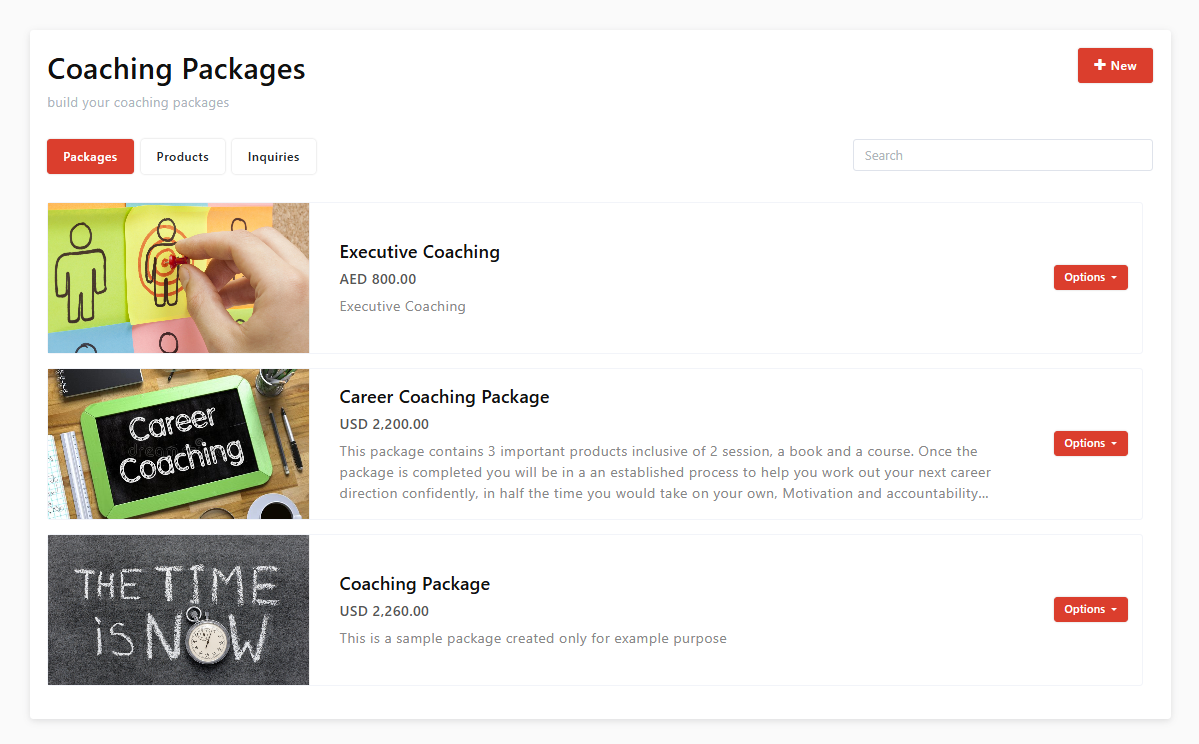
Manage Existing Package
For any package in the list, click the Options button next to the package to access the available actions:
- Edit Package
Update the package details, settings, pricing, access rules, or visibility. - Share Package
Share the package using the available social sharing options. - Delete Package
Permanently remove the package from your account.
 Important Notes on Deleting Packages
- If a package is deleted, it will no longer be available for new enrollments.
- Any existing inquiries linked to the deleted package will remain unchanged.
- If an engagement has not yet been created in active inquiries, deleting the package will prevent the engagement from being created.
- Deleted packages are removed from both coach and coachee portals if they were previously shared.
Change who can see or approve a package
Visibility and approval are set per package, not on this list. Open the package, click Settings in the top right, and go to Approvals & Visibility.
From there you can turn approval on or off, name the approver, and assign the people who can see the package and its inquiries. Who is eligible depends on their user type and permissions — see Create coaching packages for the detail, and User role and access for how permissions are set.
 Change who can see or approve a package
Visibility and approval are set per package, not on this list. Open the package, click Settings in the top right, and go to Approvals & Visibility.
From there you can turn approval on or off, name the approver, and assign the people who can see the package and its inquiries. Who is eligible depends on their user type and permissions — see Create coaching packages for the detail, and User role and access for how permissions are set.
Disable a Package Without Deleting It
As an alternative to deletion, you can change the package status:
- Set the package status from Live to Draft to stop new enrollments.
- Existing inquiries can continue without disruption.
- This option is recommended when you want to pause availability without impacting ongoing activity.

