Use the coaching notepad
Updated Dec. 10, 2025 by SupportThe Coaching Notepad is an all-in-one workspace built to help you run productive and impactful coaching sessions. It brings together everything you need — notes, actions, assessments, and scheduling — in one convenient place, allowing you to stay focused on the conversation and your coachee’s growth.
 How to Access the Coaching Notepad
You can open the Coaching Notepad in two ways:
- Quick Session – From the main menu, select Quick Session to start a spontaneous or unscheduled meeting.
- Upcoming Appointments – From your Coach Dashboard, find the scheduled session and click Start Session to launch the notepad directly from the appointment.
What You Can Do with the Coaching Notepad
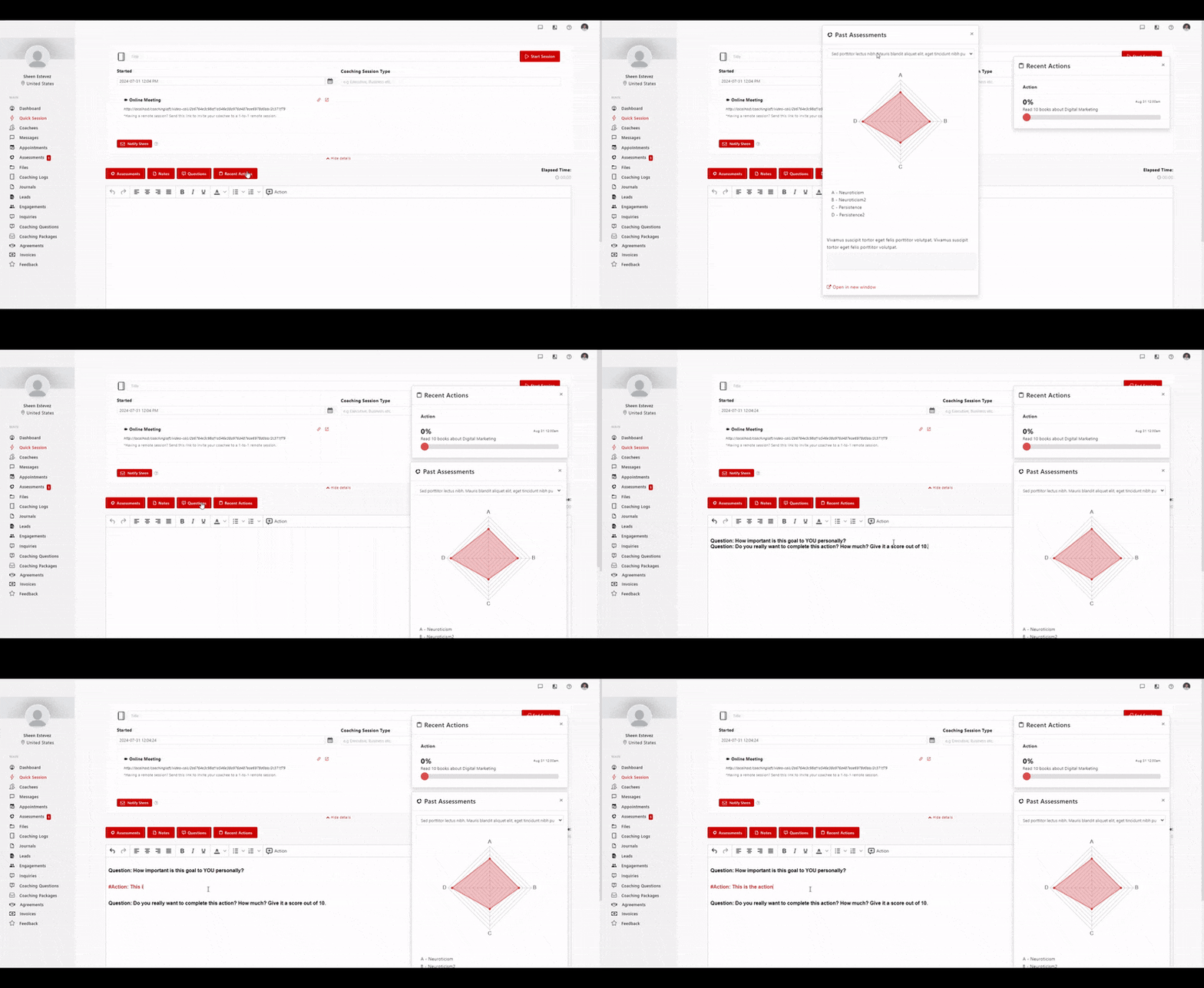
The Coaching Notepad provides instant access to key tools designed to streamline your live sessions and keep everything organized:
- Assessment Insights – View your coachee’s completed assessments at any time.
- Private Notes – Access your personal notes prepared before the meeting to guide your flow.
- Assigned Coaching Questions – Refer to previously assigned questions to deepen the discussion.
- Actions – Track coachee tasks and progress in real time.
- Live Note-Taking – Capture ideas, reflections, and next steps directly during the session.
- Assign New Actions – Create new tasks or commitments on the spot; they’ll appear automatically in your coachee’s action list.
- Book the Next Session – Schedule a follow-up session directly from the notepad to maintain momentum.
- Share Session Notes – Send a summary of your notes to the coachee once the session ends to keep them accountable.